Put your Host Dada's WPBuild site live on your own domain, on the hosting that comes with your plan. It goes up on a temporary address first, then moves onto your domain with free SSL once the domain points to us.
About the examplesHollin & Wick and Larkspur Grooming are example businesses made for these guides. Everything else is the real WPBuild screen.
Before you start
- A finished site you've checked on the Preview tab.
- Your domain name, and access to wherever it's registered if it isn't with Host Dada.
Step-by-step
- Choose Go live and install the site. On the Build tab under Going live, type your domain twice and press Put the site on its hosting. The site is installed on your included hosting at a temporary address, so you can check it there.
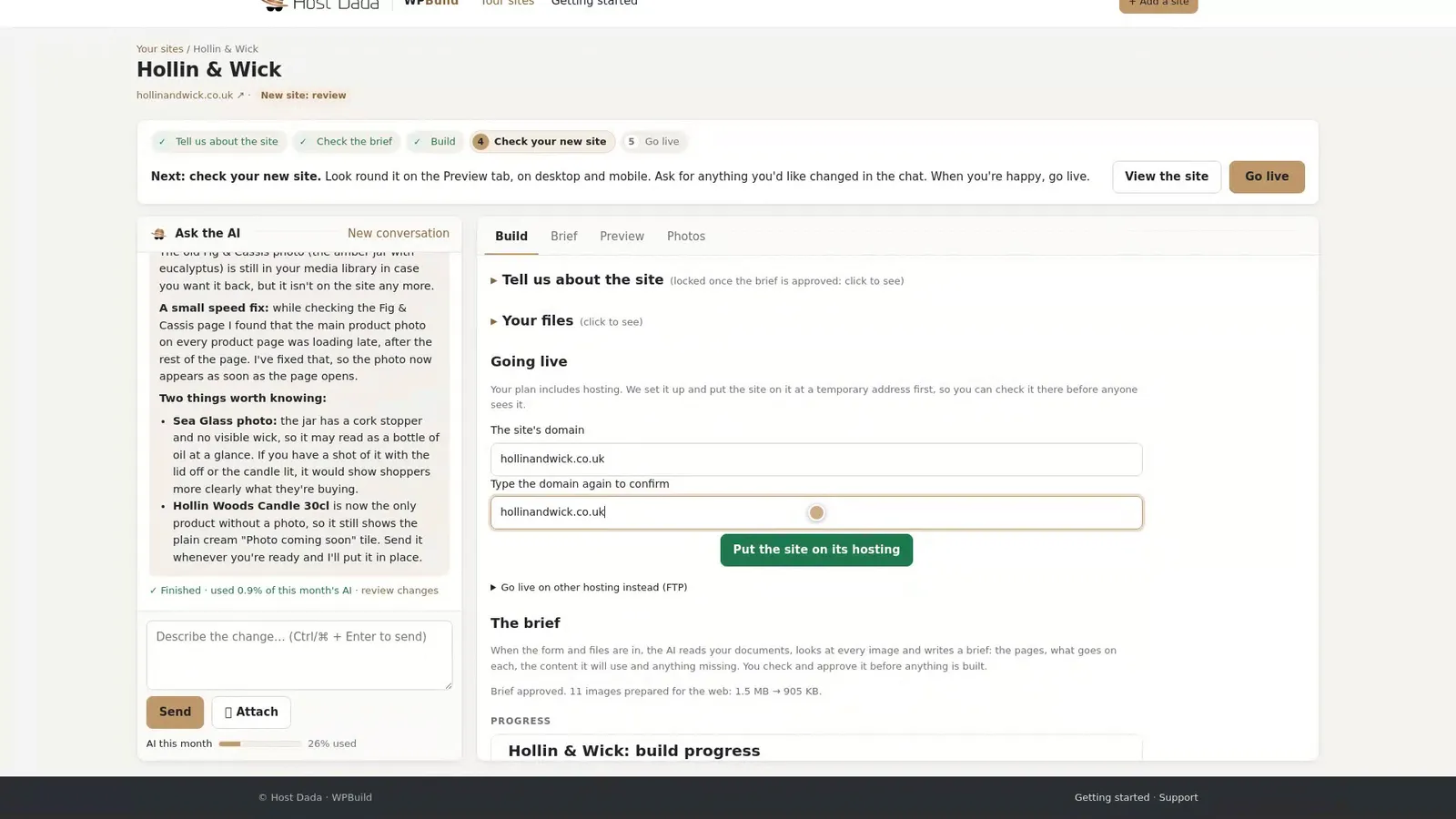 Your site goes onto its included hosting.
- Point your domain at Host Dada. Press Show me how for the exact settings. Either change your domain's nameservers to Host Dada's, or add an A record. If your domain is registered with Host Dada, this is already done for you.
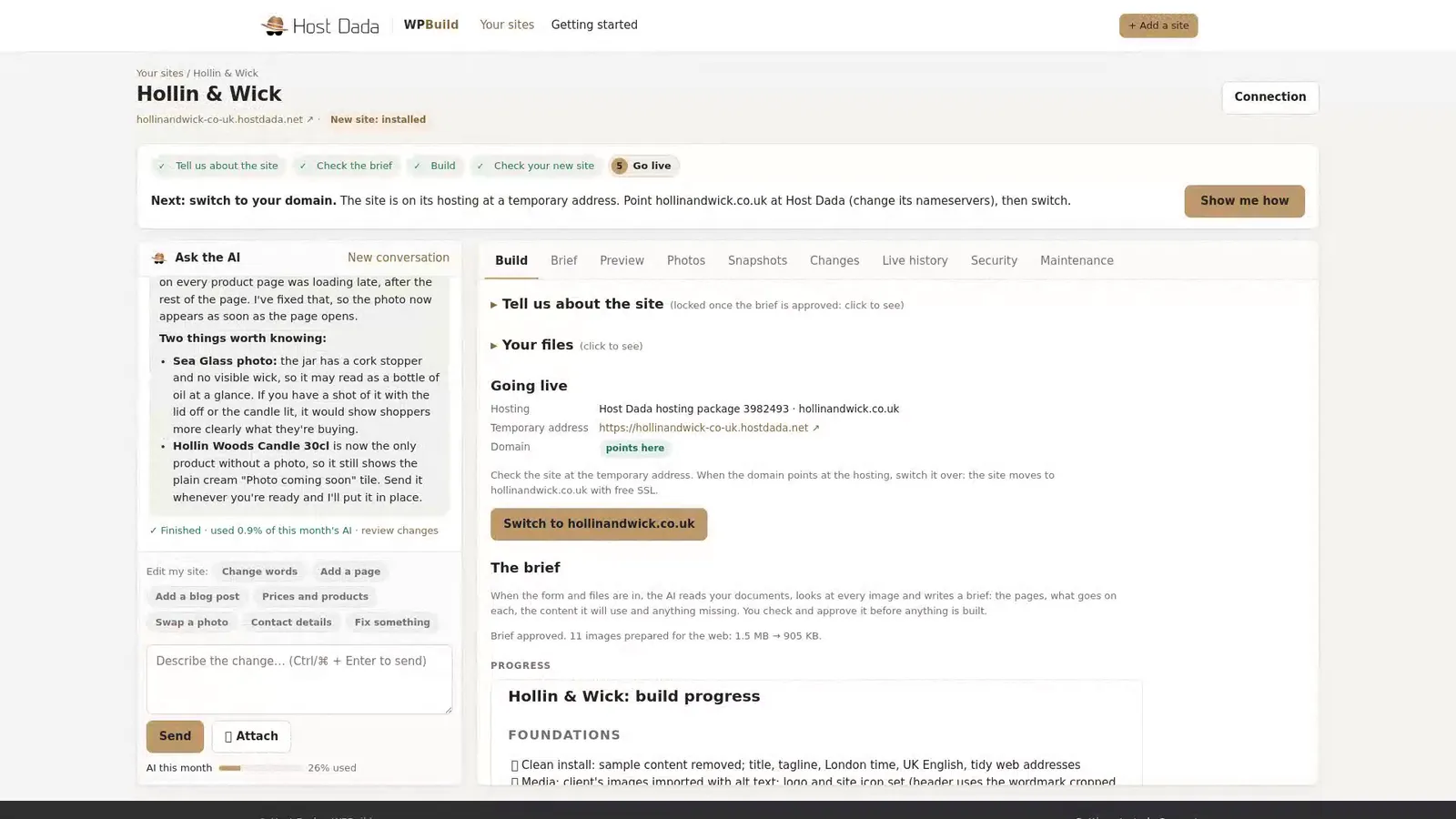 Show me how gives the exact values.
- Press Check again. Domain changes can take a while to spread, usually within a few hours and up to 48. Check again asks your domain's own nameservers, so you know where you stand straight away.
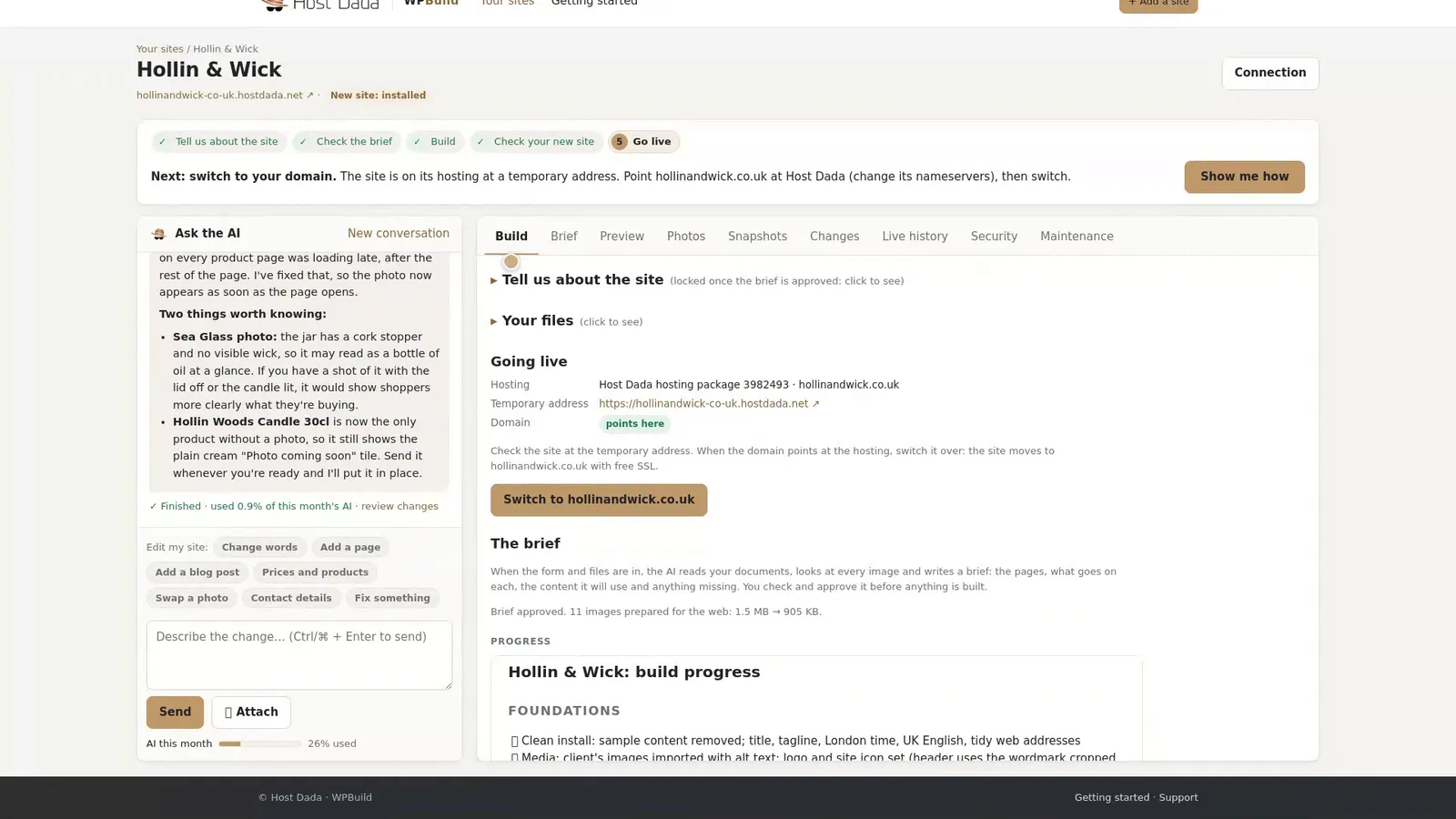 When it says points here, you're ready.
- Switch to your domain. Press Switch to your domain. Your site moves onto your address, with free SSL (the padlock).
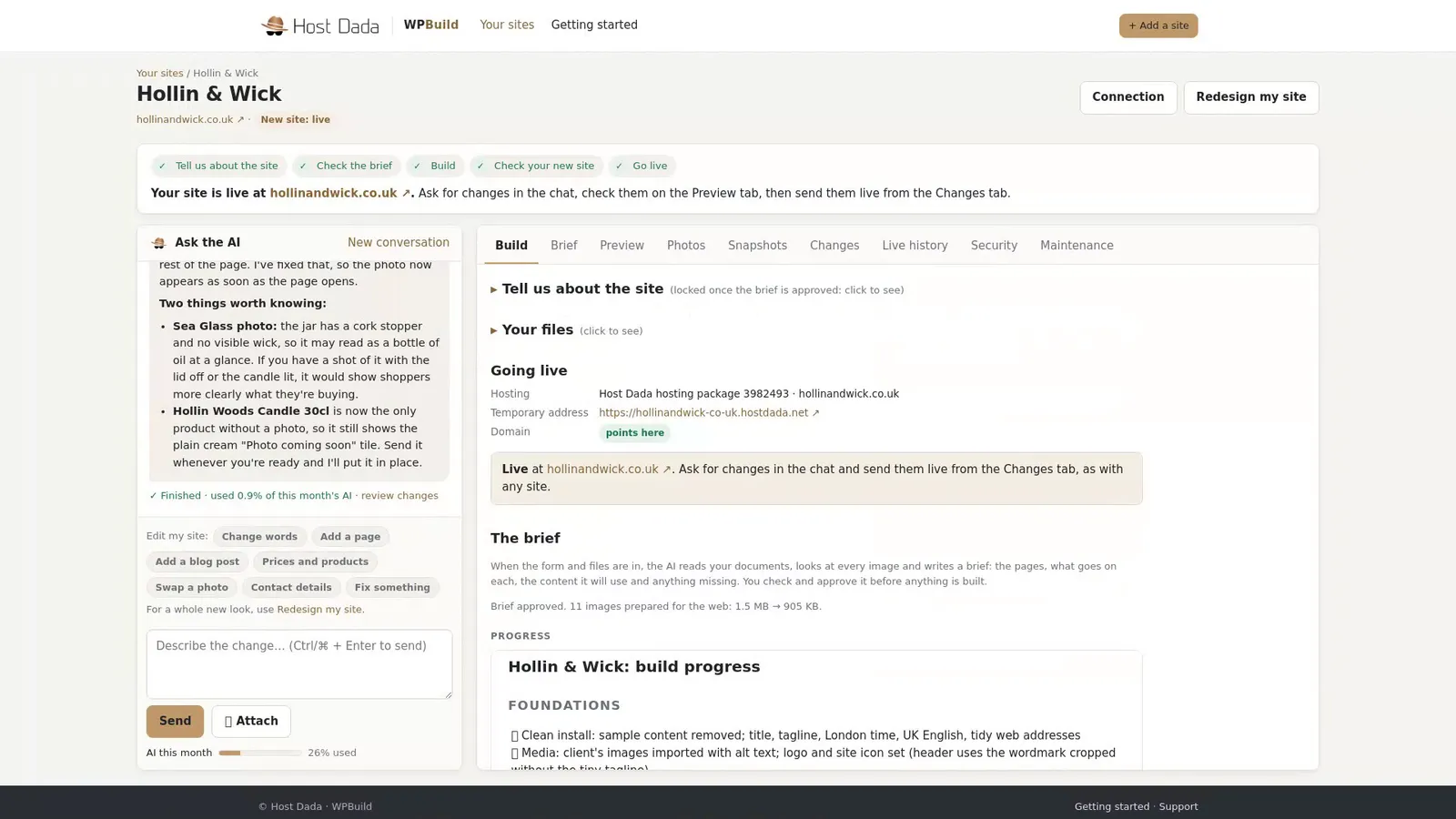 Live, secure and on your own domain.
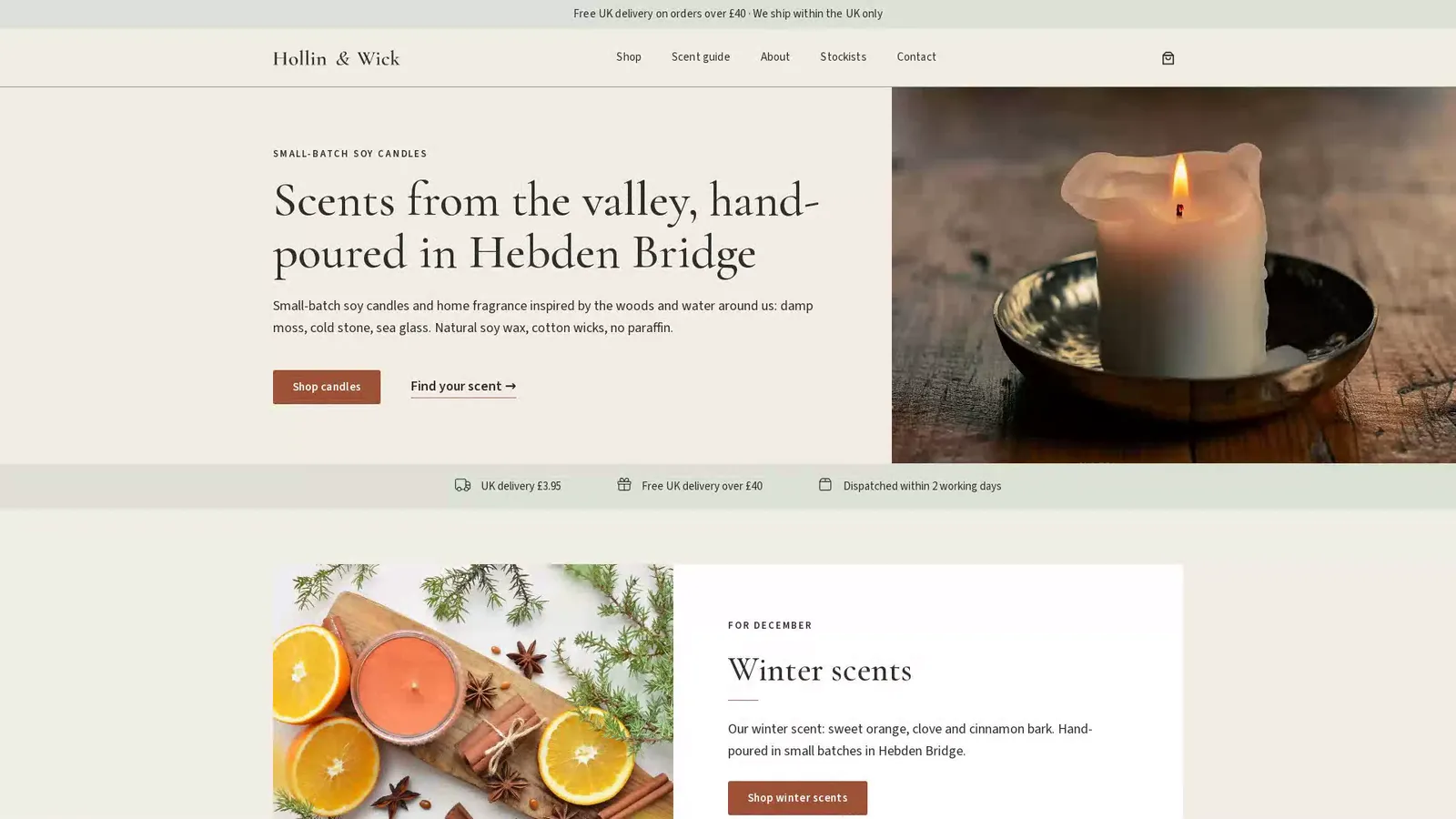 hollinandwick.co.uk, live (example business).
Settings at a glance
| Setting | Value |
|---|---|
| Nameservers (option 1) | ns1.kandekore.net, ns2.kandekore.net, ns3.kandekore.net, ns4.kandekore.net |
| A record (option 2) | The IP address shown under Show me how for your site |
Keep your email workingIf you change nameservers and your email is hosted somewhere else, copy your MX records first. Not sure? Contact our support team before you change anything and we'll help.
Troubleshooting
Check again still says the domain doesn't point here
Nameserver changes can take up to 48 hours. Check you saved the change at your domain company, and that all four nameservers are entered exactly.
My domain is with Host Dada
It's already pointing the right way. Press Check again, then Switch to your domain.
Still stuck? Our UK support team is happy to help. Open a support ticket
and tell us the site's name and what you've tried so far.
Last reviewed: November 2026
