In Host Dada's WPBuild, nothing goes live without your OK. Tick the changes you want, confirm with your domain and send them live. A backup is taken first, and every send can be rolled back.
About the examplesHollin & Wick and Larkspur Grooming are example businesses made for these guides. Everything else is the real WPBuild screen.
Before you start
- A site with a live copy and changes waiting on staging.
Step-by-step
- Open the Changes tab and press Check what changed. It lists everything that's different on your staging copy: pages, posts, media, settings, plugins and theme.
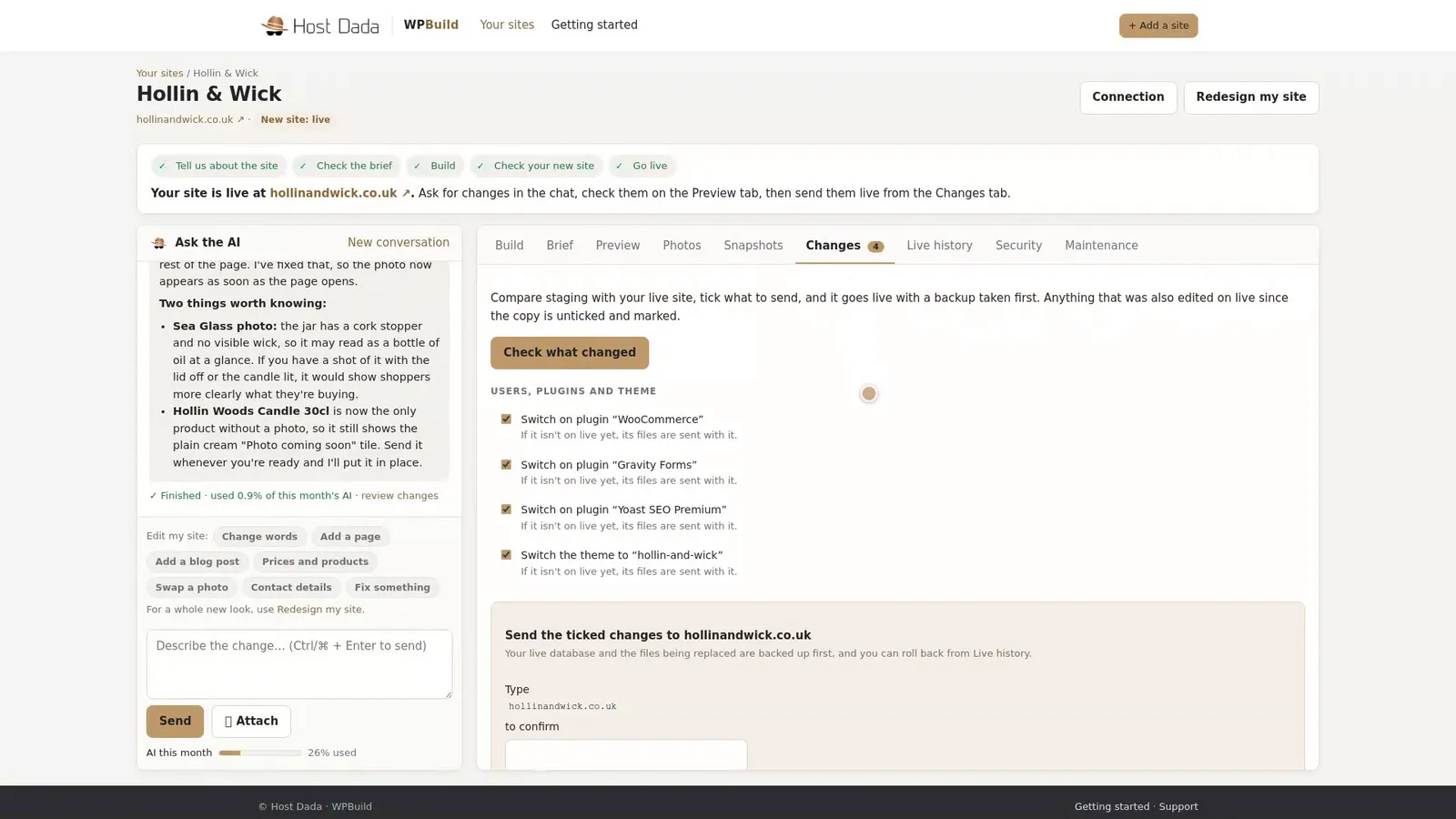 Everything that's different on staging.
- Tick what you want to send. Leave anything you're not ready for unticked. If something was also changed on your live site since the copy was made, it's flagged and left unticked, so you never overwrite anything by accident.
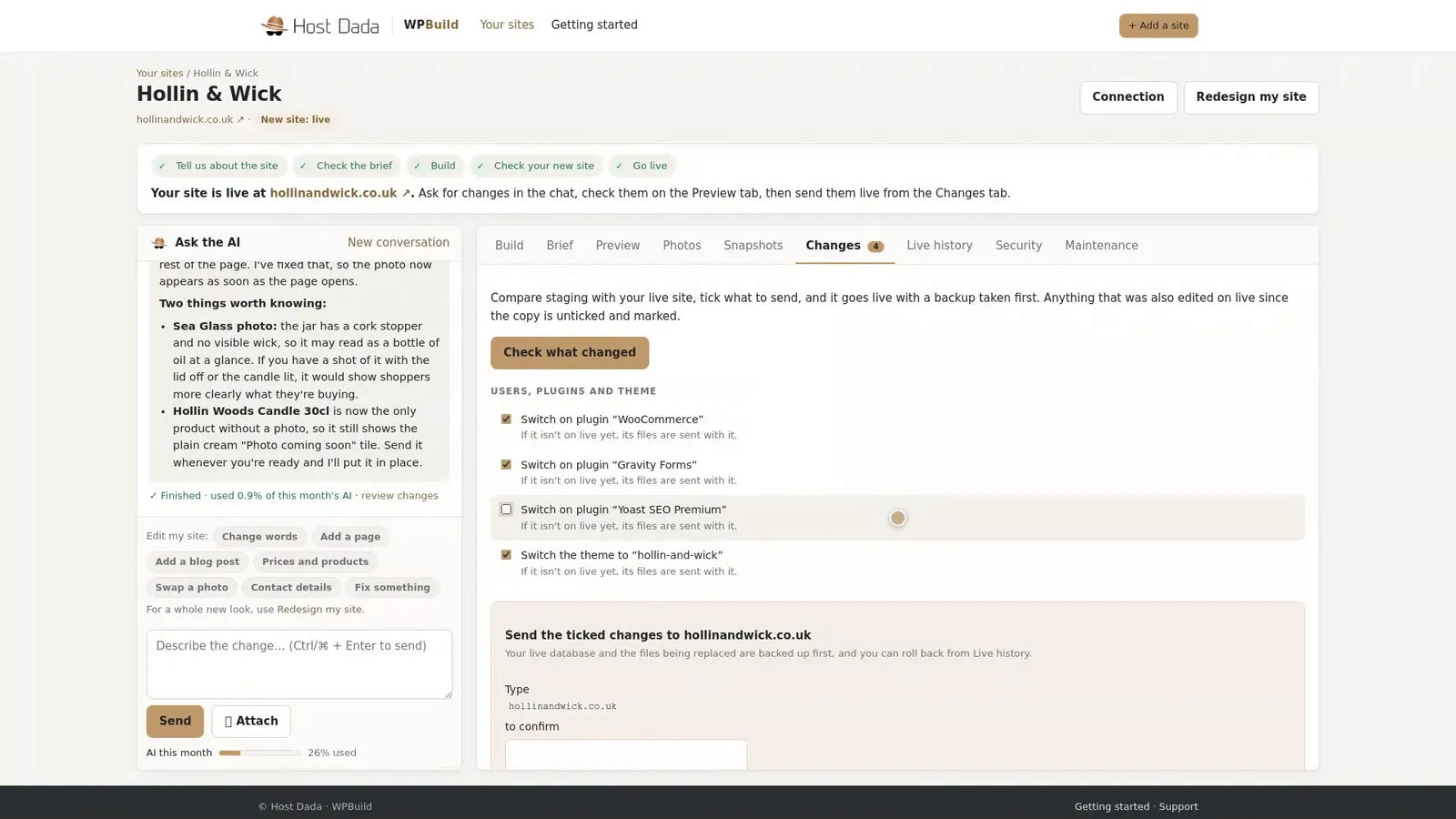 You choose exactly what goes live.
- Type your domain and send. Type your domain to confirm, then press Send to live. A backup of your live site is taken first, every time.
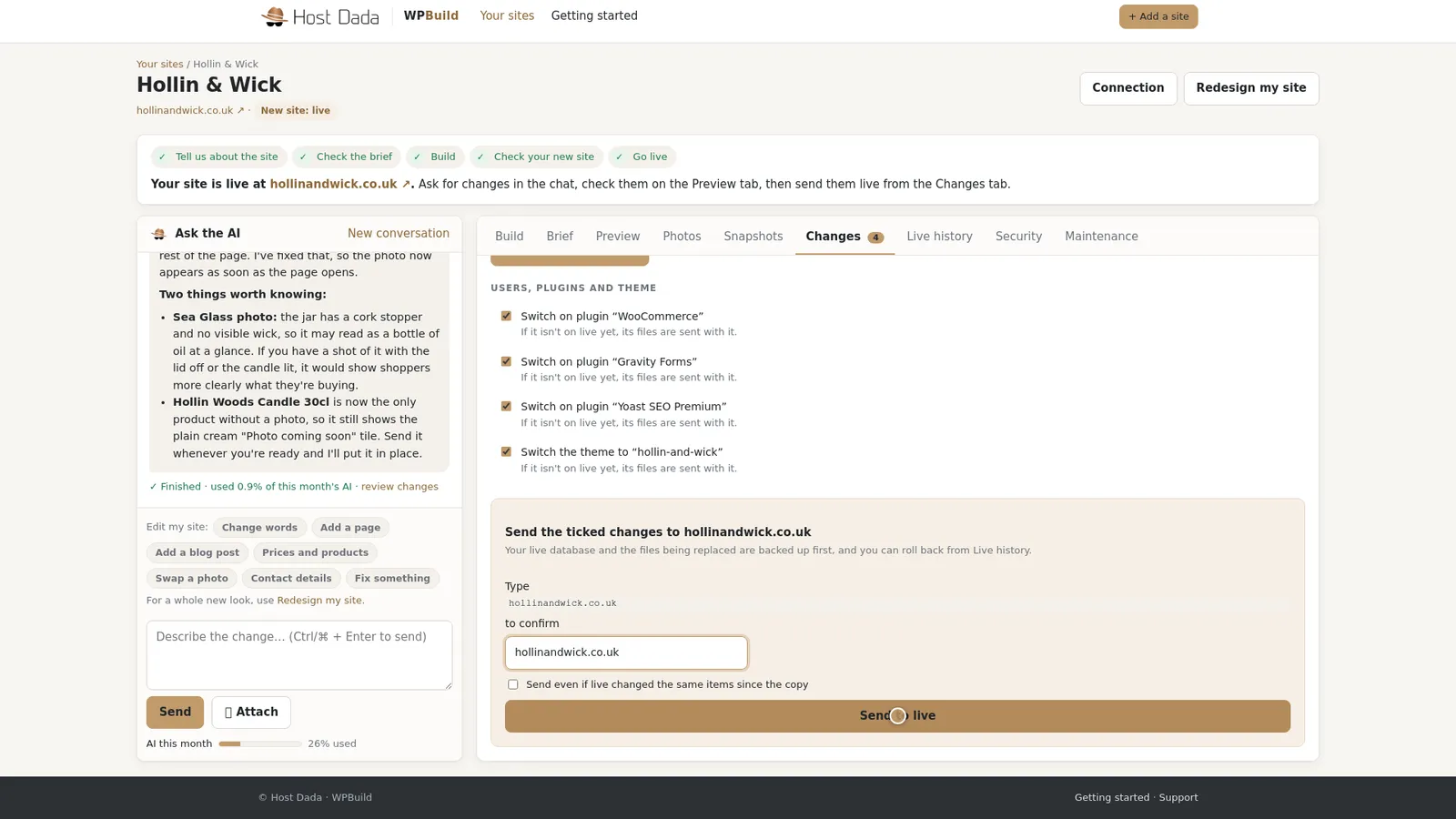 Typing the domain stops accidental sends.
- Undo from Live history if you need to. Open Live history. Every send is listed with its date, and each one has a Roll back button. One click puts your site back to how it was.
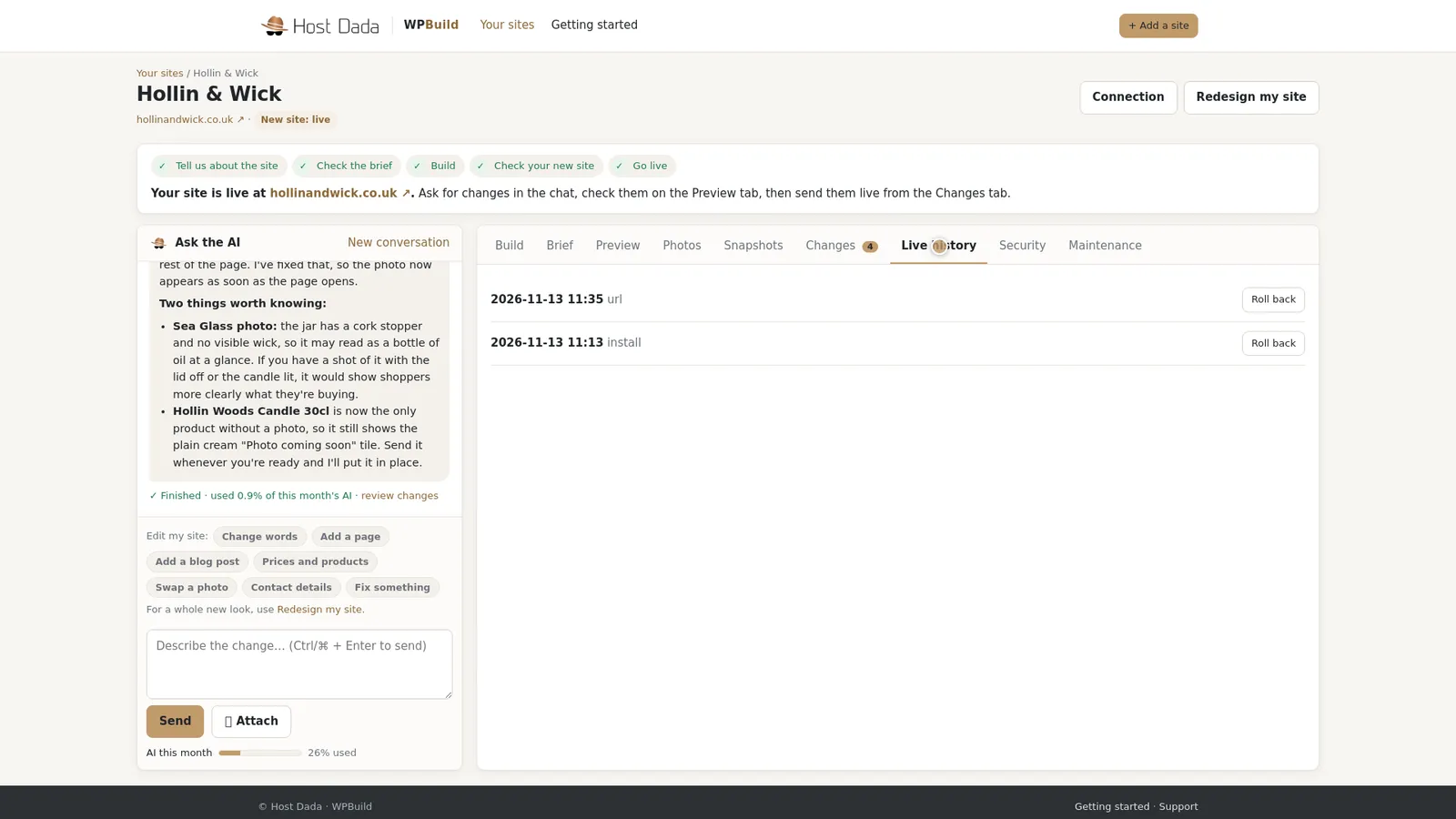 Every send can be rolled back.
Your orders are safeOrders, customers and comments on your live site are never sent over from staging, so you won't lose a sale or a review when you send a change.
Troubleshooting
An item is flagged and unticked
It was changed on your live site too. Check the live version before you tick it, because sending will replace it.
I rolled back by mistake
Your staging copy still has the changes. Go to the Changes tab, press Check what changed and send them again.
Still stuck? Our UK support team is happy to help. Open a support ticket
and tell us the site's name and what you've tried so far.
Last reviewed: November 2026
