To move a domain from Easyspace to Host Dada, request a transfer out in your Easyspace account. For .com-type domains Easyspace unlocks the domain and emails the authorisation code. For .co.uk and .uk domains you give them Host Dada's IPS tag, HOSTDADA. Easyspace lists a £15 fee for transferring out.
Before you start
- Easyspace's fee: Easyspace's price list shows a domain transfer-out charge of £15.
- 60-day rule: a .com-type domain can't move within 60 days of being registered or transferred.
- Admin email: the authorisation code goes to the domain's admin contact, so check you can receive email there.
.com, .net, .org and other domains: get the authorisation code
- Log in to your Easyspace account at easyspace.com.
- Find the domain transfer options. Look in the service or domain management area for the option to transfer a domain out (away from Easyspace).
- Select the domain and submit the request. Pay the transfer-out fee if asked.
- Wait for the code. Easyspace unlocks the domain and emails the authorisation code to the admin contact.
.uk domains: change the IPS tag to HOSTDADA
.uk domains (.co.uk, .uk, .org.uk, .me.uk and others) don't use authorisation codes. Instead, Easyspace changes the domain's IPS tag to Host Dada's tag, HOSTDADA, and the domain moves across. Order the transfer at Host Dada first (see below) so we can match it to your account.
- Log in to your Easyspace account and open the domain transfer-out option.
- Select the .uk domain and enter
HOSTDADAas the new IPS tag. - Submit the request and pay the fee if asked. Easyspace then releases the domain.
Complete the transfer to Host Dada
-
Order the transfer. Go to Transfer in a Domain (or Domains → Transfer in a Domain in the Client Area), enter your domain under Domain Name and click Order Now.
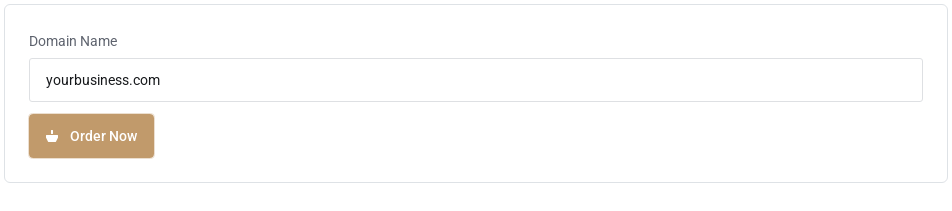 Start the transfer in the Host Dada Client Area.
- Paste the authorisation code into the Authorization Code box when asked. Codes are case-sensitive, so copy and paste rather than typing. (.uk domains don't ask for a code.)
- Check the nameservers and check out. If checkout shows nameserver boxes, they're filled in with the Host Dada nameservers. Keep them if your website and email are with us, or enter your current nameservers if they're staying elsewhere for now. For most .com-type domains, the transfer adds a year to the registration.
- Approve and wait. For .com-type domains you may receive an approval email. Approving it speeds things up. Otherwise transfers usually complete within 5 to 7 days. For a .uk domain, change the IPS tag as described above and it usually arrives within a few hours.
- Check everything once it arrives. The domain appears under Domains → My Domains. Check auto-renew is on and the Contact Information is correct.
Settings at a glance
| What | Value |
|---|---|
| Host Dada IPS tag (.uk domains) | HOSTDADA |
| Host Dada nameservers | ns1.kandekore.net, ns2.kandekore.net, ns3.kandekore.net, ns4.kandekore.net |
| Start a transfer | my.hostdada.co.uk → Transfer in a Domain |
Troubleshooting
Old guides say to log in at a 1and1 address
That's out of date. Easyspace is a separate company (part of the iomart group). Log in at easyspace.com.
Easyspace says the domain can't be transferred yet
It's probably within 60 days of being registered or transferred. Wait until the 60 days are up, or point the domain to Host Dada's nameservers in the meantime.
The code was sent to an old email address
Update the domain's admin contact at Easyspace, or ask Easyspace support to send the code to your current address after verifying you.
Last reviewed: October 2026
