To move a .uk domain (.co.uk, .uk, .org.uk, .me.uk and others) to Host Dada, ask your current registrar to change its IPS tag to HOSTDADA. There's no auth code, no downtime and no Nominet fee when your registrar makes the change.
Host Dada's IPS tag
| Setting | Value |
|---|---|
| New registrar / IPS tag / Nominet tag | HOSTDADA |
Type it in capitals, exactly as shown, with no spaces.
What is an IPS tag?
Nominet runs the .uk registry. Every company that can register .uk domains has a tag (an IPS tag, sometimes called a Nominet tag or registrar tag), and every .uk domain is labelled with the tag of the company managing it. Moving a .uk domain is a "push": the current registrar changes the tag to the new registrar's tag, and the domain moves across. Unlike .com domains, there's no authorisation (EPP) code to request. A few registrars ask you to unlock the domain first, and our registrar guides below say where.
Before you start
- Check the domain isn't about to expire. If it expires within the next few weeks, renew it first or move it straight away.
- Changing the tag doesn't change your nameservers or DNS, so your website and email keep working during the move. But some registrars remove their own DNS service once a domain leaves them. If your DNS is hosted at the old registrar, point the domain to the Host Dada nameservers first. See What are nameservers?
- Have your old registrar login to hand.
Step-by-step
-
Order the transfer at Host Dada. Go to Transfer in a Domain, enter your .uk domain and click Order Now, then complete checkout. .uk domains don't ask for an authorisation code. Ordering first lets us match the domain to your account as soon as it arrives.
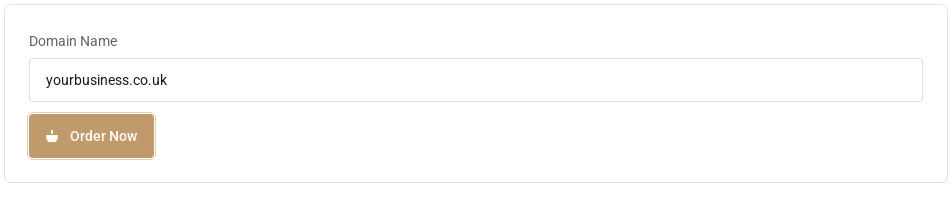 Order the transfer in the Client Area first.
- Log in to your current registrar. Find the domain's transfer options. The setting is usually called Change IPS tag, Change Nominet tag or Transfer to another registrar.
- Enter the new tag
HOSTDADAand confirm. Some registrars ask for a reason or a security code first. - Wait for the domain to arrive. The tag change is usually processed within minutes to a few hours. The domain then appears under Domains → My Domains in your Client Area.
How to change the tag at popular registrars
| Registrar | Where to find it | Fee to leave |
|---|---|---|
| IONOS | Domains → Renewal & Transfer → Change IPS tag. Full guide | None stated |
| 123-reg (and TSOHost) | Manage All → domain → Transfer to Another Registrar. Full guide | None stated |
| Names.co.uk | Domain Transfers → change the Nominet TAG. Full guide | £10 + VAT |
| Easyspace | Domain transfer out, in your account. Full guide | £15 (Easyspace price list) |
| GoDaddy | Domain Transfer settings → Transfer to Another Registrar. Full guide | None stated |
| Namecheap | Domain List → Manage → Sharing & Transfer. Full guide | None stated |
| Fasthosts | The domain's transfer options in the Fasthosts control panel. Full guide | None (Fasthosts says transfers out are free) |
Registrars' fees and menus change from time to time, so check the registrar's own help pages if something looks different.
Registrar not responding? Change the tag through Nominet
If you're the registered owner (registrant) and can't get your registrar to act, you can change the tag yourself through Nominet's online services for domain owners. Sign in with the email address the domain is registered to, choose the option to change registrar and enter HOSTDADA. Nominet charges £10 + VAT for this, per request. If you don't know which email the domain is registered to, open a ticket and we'll help.
Moving a .uk domain away from Host Dada
Going the other way? Get the new registrar's tag, then see Transfer a domain away.
Troubleshooting
"Invalid tag" or "tag not found"
Check you typed HOSTDADA in capitals with no spaces or full stop.
The tag has changed but the domain isn't in my Client Area
If you didn't order the transfer first, we can't match it to your account automatically. Open a ticket with the domain name and we'll add it.
My website or email stopped after the move
Your old registrar may have removed its DNS service. Make sure the domain uses the Host Dada nameservers and that your records are set up in Manage DNS.
Does the transfer add a year to my domain?
The tag change itself doesn't extend the registration at Nominet. Once the domain arrives, check its expiry date in your Client Area and renew if it's due soon. See Renew a domain.
Last reviewed: October 2026
