TSOHost customers now manage their domains in the 123 Reg Control Panel. To move a domain to Host Dada, unlock it there and choose Transfer to Another Registrar to get the authorisation code, or enter the IPS tag HOSTDADA for a .uk domain.
Before you start
- Where to log in: TSOHost has moved its customers to 123-reg. tsohost.com now redirects to 123-reg's welcome page for TSOHost customers, and you sign in to the 123 Reg Control Panel.
- 60-day rule: a .com-type domain can't move within 60 days of being registered or transferred, and 123-reg won't release a domain in its last 7 days before expiry.
- Domain Protection: if it's on, you'll confirm your identity with a phone or authenticator code, or a one-time password sent to your account email.
.com, .net, .org and other domains: unlock and get the code
- Log in to the 123 Reg Control Panel with your TSOHost details (or the new 123-reg login you set up during the move).
- Click Manage All next to Domains.
- Unlock the domain. Tick the domain, click Lock (or More), choose Turn Lock Off and click Continue.
- Choose Transfer to Another Registrar for the domain and complete any Domain Protection check.
- Copy the authorisation code shown on screen. A copy is also emailed to the domain's admin contact.
123-reg's guide: Transferring a domain away from 123 Reg.
.uk domains: change the IPS tag to HOSTDADA
.uk domains (.co.uk, .uk, .org.uk, .me.uk and others) don't use authorisation codes. Instead, TSOHost changes the domain's IPS tag to Host Dada's tag, HOSTDADA, and the domain moves across. Order the transfer at Host Dada first (see below) so we can match it to your account.
- Unlock the domain as above.
- Choose Transfer to Another Registrar for the .uk domain.
- Enter
HOSTDADAas the IPS tag and click Complete Transfer.
Complete the transfer to Host Dada
-
Order the transfer. Go to Transfer in a Domain (or Domains → Transfer in a Domain in the Client Area), enter your domain under Domain Name and click Order Now.
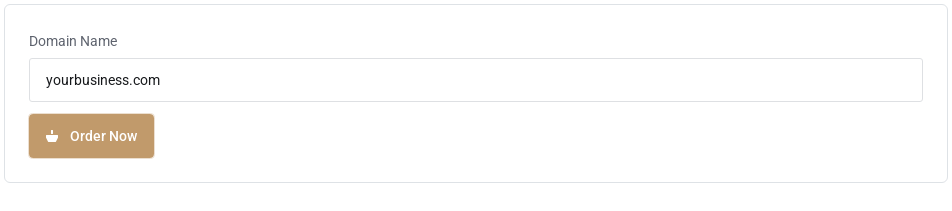 Start the transfer in the Host Dada Client Area.
- Paste the authorisation code into the Authorization Code box when asked. Codes are case-sensitive, so copy and paste rather than typing. (.uk domains don't ask for a code.)
- Check the nameservers and check out. If checkout shows nameserver boxes, they're filled in with the Host Dada nameservers. Keep them if your website and email are with us, or enter your current nameservers if they're staying elsewhere for now. For most .com-type domains, the transfer adds a year to the registration.
- Approve and wait. You may get an email asking you to approve the transfer. Approving it speeds things up. Otherwise .com-type transfers can take up to 7 days. For a .uk domain, change the IPS tag as described above and it usually arrives within a few hours.
- Check everything once it arrives. The domain appears under Domains → My Domains. Check auto-renew is on and the Contact Information is correct.
Settings at a glance
| What | Value |
|---|---|
| Host Dada IPS tag (.uk domains) | HOSTDADA |
| Host Dada nameservers | ns1.kandekore.net, ns2.kandekore.net, ns3.kandekore.net, ns4.kandekore.net |
| Start a transfer | my.hostdada.co.uk → Transfer in a Domain |
Troubleshooting
My old TSOHost login doesn't work
Use 123-reg's TSOHost welcome page to find or reset your 123 Reg Control Panel login, or contact 123-reg support.
The domain shows as locked or not eligible
Check you turned the lock off, and that the domain isn't under 60 days old or within 7 days of expiry.
My TSOHost website or email stopped
Your hosting may still be on the old platform. Point the domain to Host Dada and recreate the records, or ask us to migrate everything for you.
Last reviewed: October 2026
