1. Log into your cPanel account.
2. In the "Advanced" section, click on "Cron Jobs" Icon.

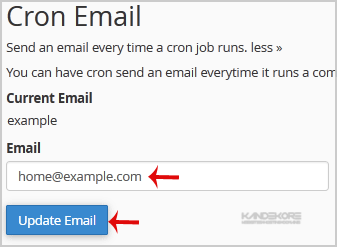
3. Under "Cron Email" you should enter your full e-mail address in text field.
4. Click on the "Update Email" Button.

Related Guides How to Access your cPanel from the customer portal How to update your cPanel...
If your website is using long URL like example.com/files/folder/sitemap.html, you can change it...
If a page on your website no longer exist and you want to redirect it to your new page or website...
If you are getting an error like "Allowed memory size of... in file...
If you want to change your SiteWorx email Address then follow these steps.1. Log into your...


