
To Add, modify or remove domains you must be a Global Administrator of a business or enterprise plan. These changes affect the whole tenant, Customised administrators or regular users won't be able to make these changes.
Check the Domains FAQ if you don't find what you're looking for.
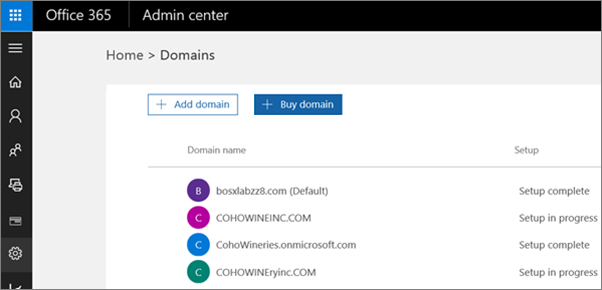
Sign in and click Settings > Domains > Buy a domain
-
Sign in to Office 365 with your work or school account.
-
On the Admin page, on the left, choose Setup, and then Domains.
-
On the Domains page, choose Buy domain.
You can choose from the following top level domains for your domain.
-
.biz
-
.com
-
.info
-
.me
-
.mobi
-
.net
-
.org
-
.tv
-
.co.uk
-
org.uk
Buy a domain from another domain registrar
If you want to buy a domain from a domain registrar other than GoDaddy, choose one that supports all DNS records needed by Office 365 services. For example, use one of the following registrars.


