
Need help setting this up?
If you'd rather not deal with the technical side, we can fully set up and manage your Microsoft 365 for you — including email, DNS, and ongoing support.
1. Open Mozilla Thunderbird.

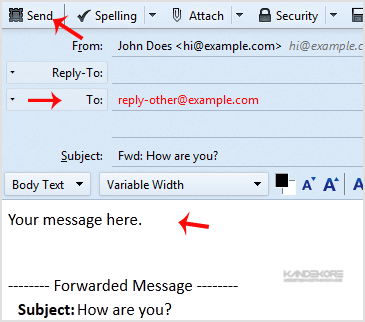
2. Go to Inbox, select the message you want to forward and it will show the "Forward" option. Then click on it.

3. Type your message in the message box. Do not make any modifications to the email title and the rest of the text. Then click on "Send".
Prefer us to handle this?
We provide fully managed Microsoft 365 setup and support — so you can focus on running your business.


